
TiVo Roamio URC R37022BA00 Voice Remote
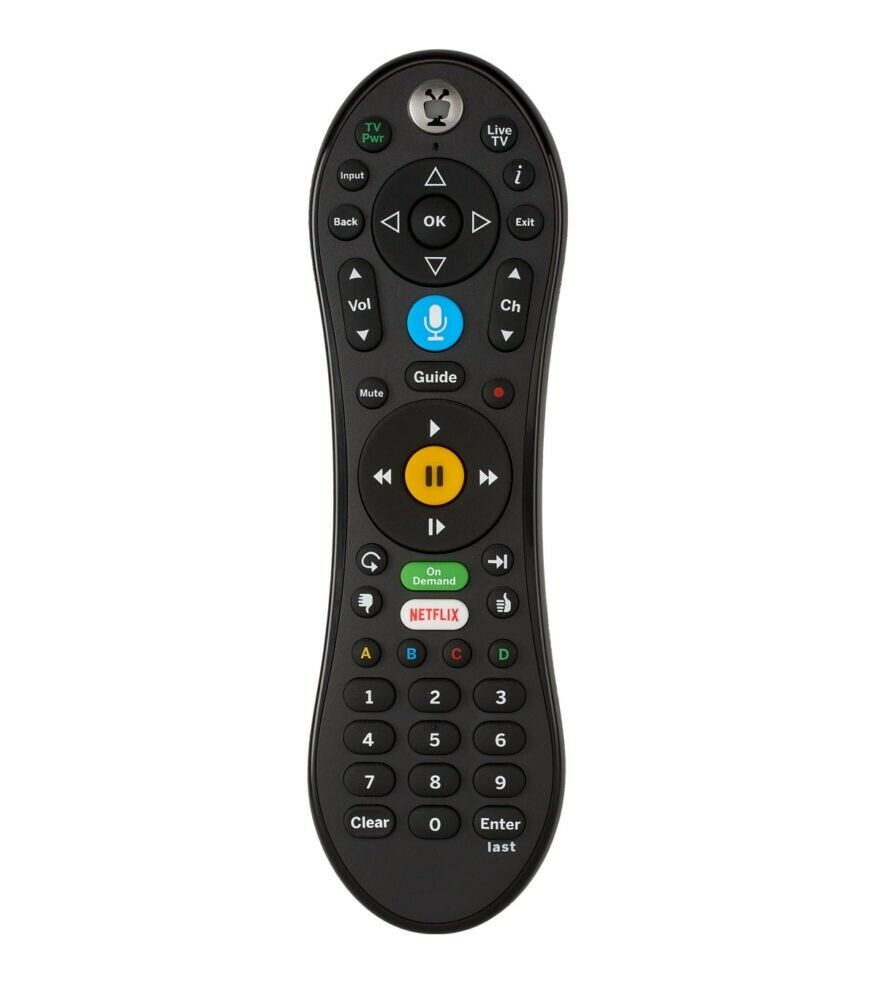
A TiVo update added ZVOX to the Remote Setup menu on some TiVo systems, with the codes 2026, 2065, and 2027. If your TiVo lists ZVOX, follow these steps to program your TiVo remote to control your ZVOX.
- Hold down the TV POWER and TiVo buttons together for 5 seconds, until the light at the top center of the remote stays on.
- Enter the 4-digit code 2026.
- Test the TV POWER button. If your ZVOX turns on or off, setup is complete.
If 2026 doesn’t work, repeat the steps using 2065, then 2027.
Once setup is complete, your TiVo remote will control the volume, mute, and power on your ZVOX.
Still Need Help?
Please contact us at info@zvoxaudio.com or submit a new support ticket.