
How to Track Your Order
If you have placed an order and want to check its status or
estimated delivery date, please use one of the two methods below.
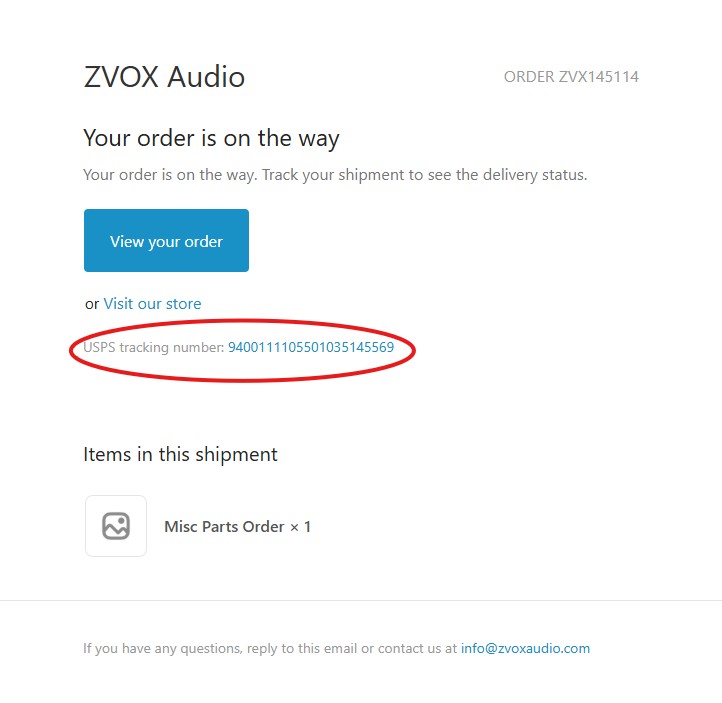
Method 1: Using Your Shipping Confirmation Email
1. Open your email inbox and search for "ZVOX Audio".
2. Look for an email with the subject line: "A shipment from order
ZVX*** is on the way" (where *** is your unique order number).
3. Open the email and locate the USPS or UPS tracking number.
4. Click directly on the tracking number link to view your shipment
status and estimated delivery date.
Tip: If you cannot find this email in your main inbox, please check your
Promotions or Spam folders.
Method 2: Through the ZVOX Website
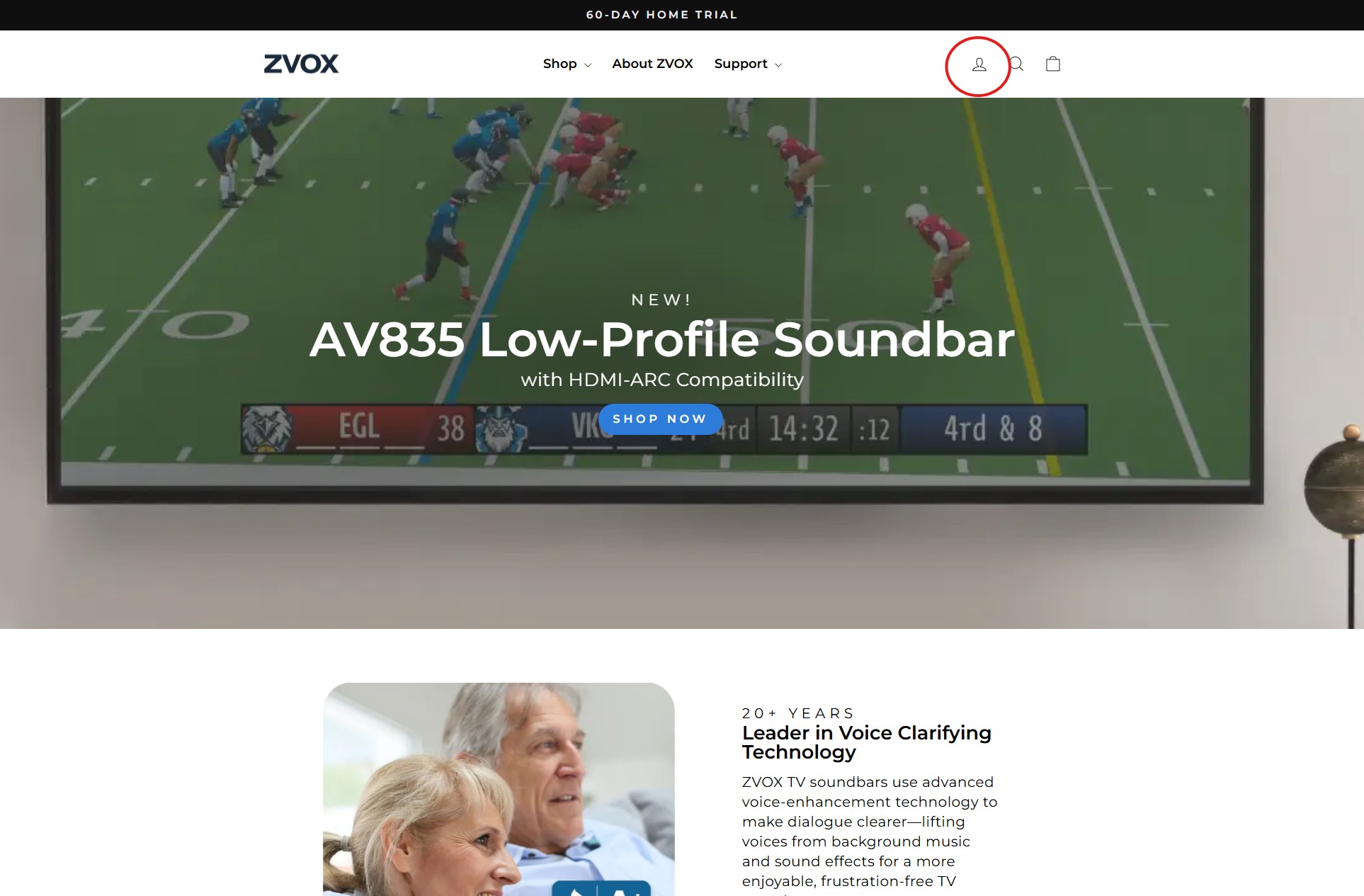
1) Go to ZVOX.com and click on the person icon located in the top
right corner of the header.
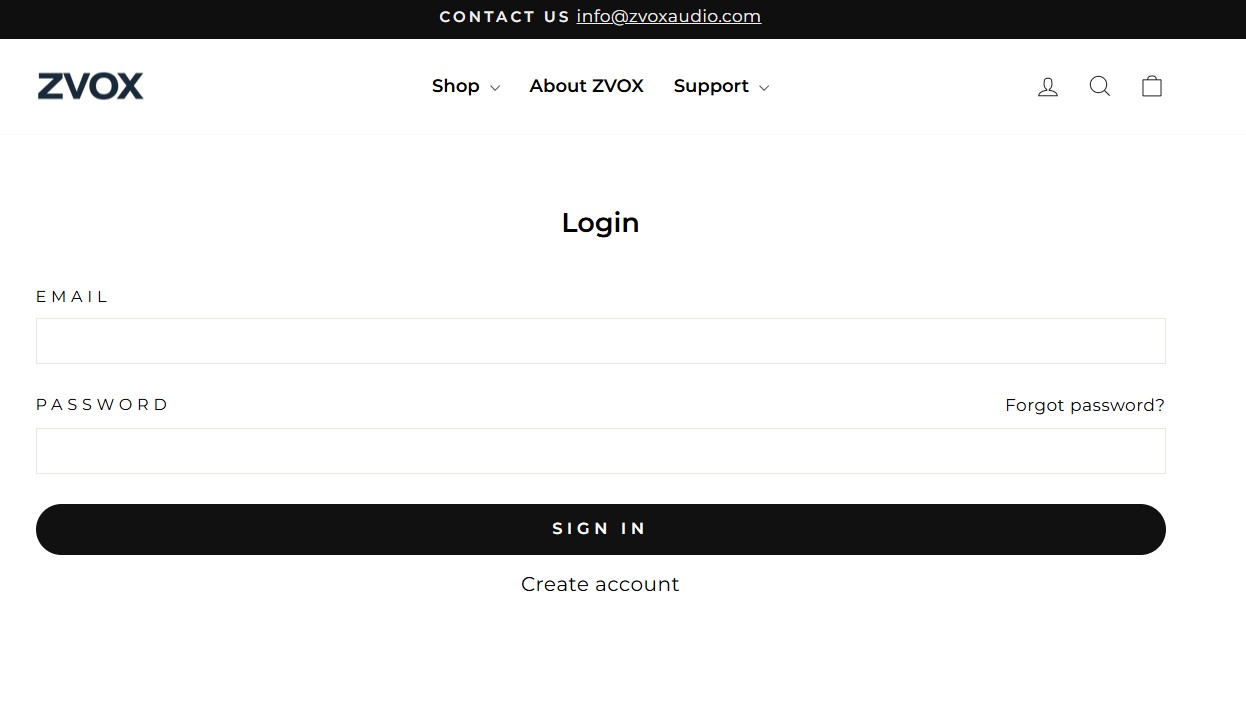
2) Enter your email address and password, then click Sign In.
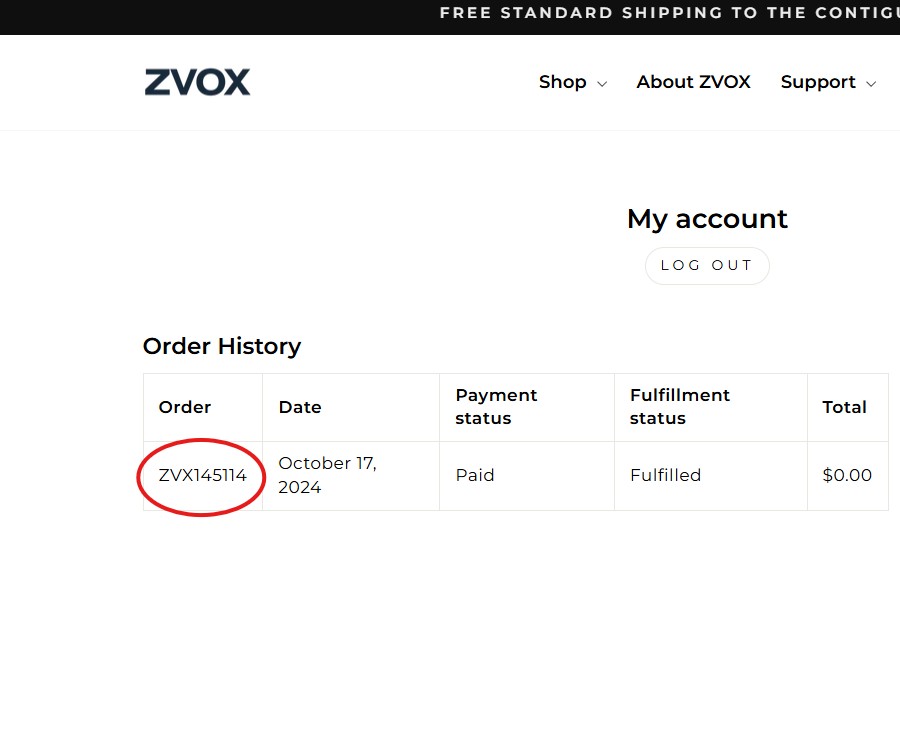
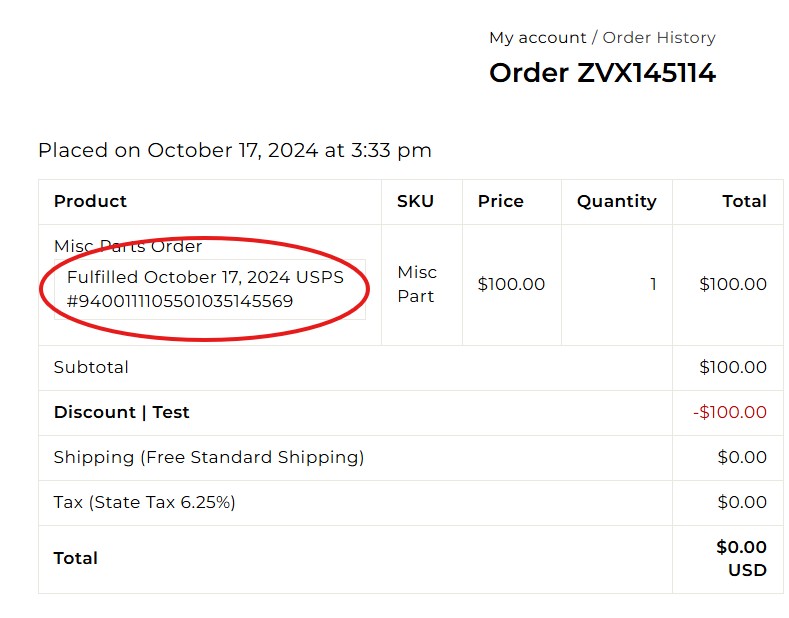
3) In your Order History, click on the specific Order Number (e.g.,
ZVX12345) that you wish to track.
4) Once the order details open, locate the tracking number under the
"Product" column. Click the number, and a new tab will open on
the USPS or UPS website showing your tracking details and
estimated delivery date.
Important Note
If you purchased your ZVOX product from a site other than ZVOX.com (such as
Amazon), you must visit that specific site's "Order
History" page to find your tracking information.
Still Need Help?
If none of these solutions resolve the problem, please contact us at info@zvoxaudio.com or submit a new support ticket.